A Fleet Operator’s Guide to Tesla’s Semi Charging Infrastructure: Basecharger and Megacharger
Overview
Tesla’s long‑anticipated Semi truck is entering commercial fleets, and with it comes a dedicated charging ecosystem. In early 2025, Tesla launched the Semi Charging for Business program, opening up two charging products: the all‑new Basecharger and the high‑power Megacharger. This guide walks fleet operators through the entire process—from understanding the hardware to ordering, installing, and avoiding costly pitfalls.
Prerequisites
Before diving into the ordering process, ensure your fleet meets these baseline requirements:
- Eligibility: You must operate a commercial fleet registered to purchase Tesla Semi trucks. The charging program is only available to verified businesses.
- Site Assessment: A suitable location with adequate electrical capacity (500 V–1000 V, three‑phase power). For Megachargers, expect up to 1 MW per post.
- Permitting Authority: Local building and electrical permits are required. Work with a licensed contractor experienced in high‑power charging.
- Budget Planning: Consider hardware costs, installation, grid upgrades, and ongoing electricity fees. The Megacharger starts at $188,000 for two posts (excluding taxes and installation).
Step‑by‑Step Guide
Step 1: Choose Your Hardware – Basecharger vs. Megacharger
Tesla offers two distinct charging solutions:
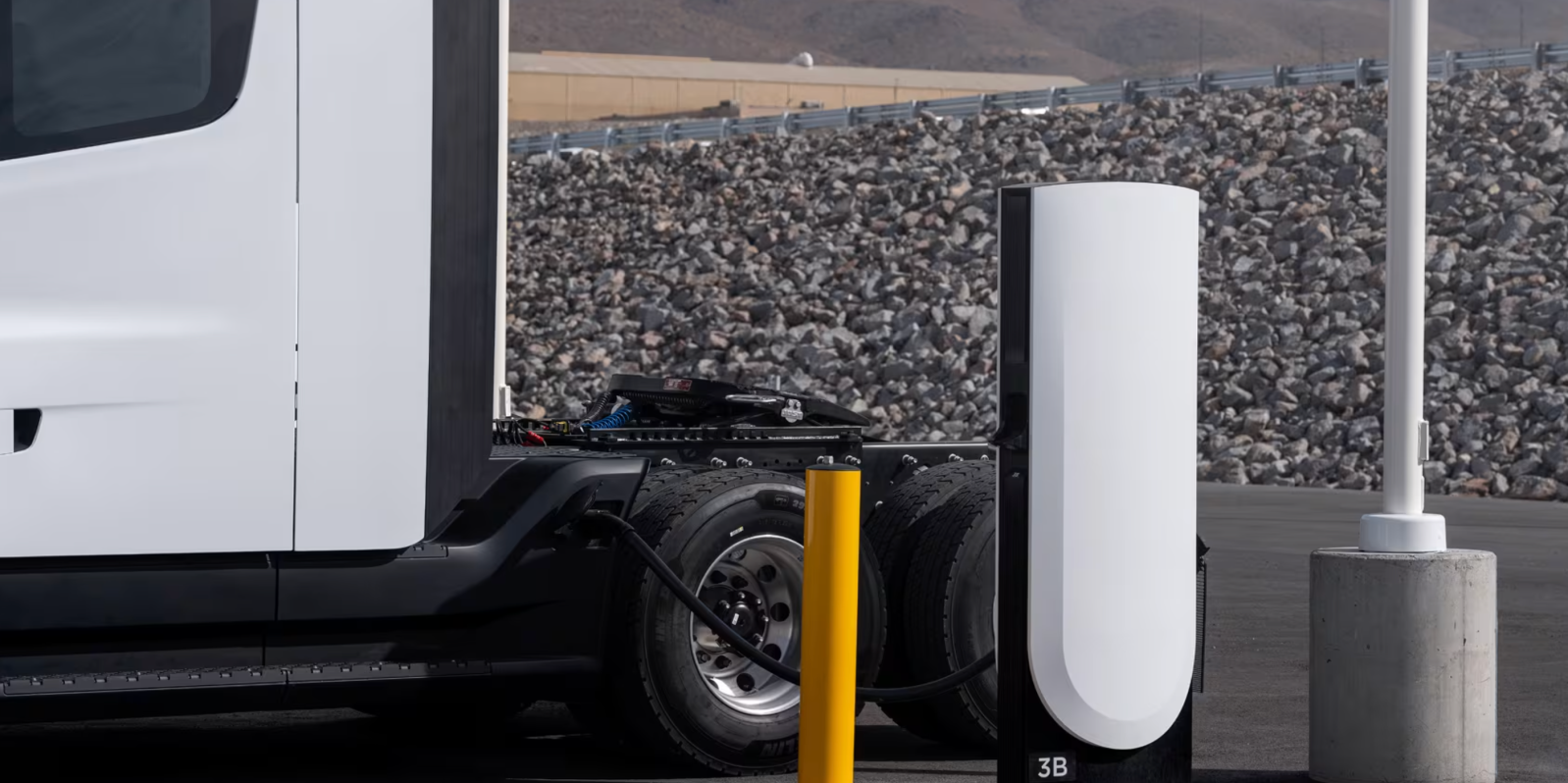
- Basecharger: A 125 kW DC fast charger designed for overnight depot charging. Ideal for fleets with extended dwell times. Lower upfront cost and simpler installation.
- Megacharger: A 1 MW+ ultra‑fast charger for on‑route top‑ups. Can charge a Semi from 0–80% in about 30 minutes. Requires substantial grid infrastructure.
Most fleets will mix both: Basechargers at the depot for nightly charging and Megachargers along common routes for midday bursts.
Step 2: Use the Online Configurator
Tesla’s configurator (accessible through your fleet account) lets you specify the number of posts, cable lengths, and power output. Follow these steps:
- Log in to your Tesla Fleet Portal.
- Navigate to Charging > Semi Charging for Business.
- Select Basecharger or Megacharger (or both).
- Enter the number of charging posts (minimum 2 for Megacharger).
- Choose cable length (standard 3 m or extended 6 m).
- Review the estimated cost.
Example output: “2x Megacharger posts: $188,000. Basecharger pricing not publicly disclosed—contact Tesla for quote.”
The configurator also displays the all‑inclusive energy fee: $0.08 per kWh for revenue‑generating sites (public‑accessible). Private depot use may have different rates—check your agreement.
Step 3: Secure Site Preparation
Charging infrastructure requires serious electrical work. Engage a certified electrician to:
- Verify transformer capacity and grid connection.
- Install conduits and trenching for power lines.
- Prepare a concrete pad (per Tesla specs) for each charging post.
- Ensure proper ventilation and fire safety per local codes.
- Plan for network connectivity (Ethernet or cellular) for remote monitoring.
Tesla provides a detailed site preparation guide after configuration—download and share with your contractor.
Step 4: Order and Coordinate Installation
Once you’ve configured your system, submit the order through the portal. Tesla will then assign a project manager who coordinates delivery, installation, and commissioning. Typical timeline:
- Delivery: 4–8 weeks after order (subject to regional availability).
- Installation: 1–2 weeks (requires downtime for electrical work).
- Commissioning: Tesla technician on‑site for final setup and testing.
Important: Installation costs are separate from hardware. Budget $20,000–$100,000+ depending on site complexity and grid upgrades.

Step 5: Connect and Manage Charging
After installation, each charger is linked to your fleet account. Use the Tesla Fleet API or the mobile app to:
- Monitor charging sessions in real time.
- Set charging schedules to optimize utility rates.
- Track energy consumption per truck.
- Receive alerts for maintenance issues.
For software integration, Tesla provides an API endpoint – example (pseudo‑code):
GET /api/1/charging_sites/{site_id}/sessions
Authorization: Bearer {access_token}
Response: { sessions: [ { truck_id, start_time, kWh_delivered, cost } ] }
Integrate this with your fleet management system to automate reporting.
Common Mistakes and How to Avoid Them
- Mistake 1: Underestimating installation costs. The $188,000 price tag for Megacharger hardware is just the start. Many operators forget to account for transformer upgrades, trenching, and permits. Get a binding quote from a Tesla‑approved contractor before ordering.
- Mistake 2: Ignoring utility demand charges. A 1 MW charger can trigger hefty demand charges from your utility. Work with an energy consultant to design a charging schedule that flattens load (e.g., using Basechargers for off‑peak overnight charging).
- Mistake 3: Not planning for future expansion. Installing a single Megacharger now may be cheap, but later adding more posts can require tearing up concrete. Oversize conduits and transformer capacity from the start.
- Mistake 4: Skipping the site walk‑through. Always have a Tesla site engineer visit before finalizing the order. They can spot issues like inadequate clearance for Semi turning radius or overhead power lines.
- Mistake 5: Forgetting about maintenance. Megachargers are high‑duty equipment. Include a service contract with Tesla or a third‑party provider to avoid downtime. Also keep spare cables on hand.
Summary
Tesla’s Semi Charging for Business program gives fleet operators two proven options: the lower‑power Basecharger for overnight depot use and the ultra‑fast Megacharger for on‑route charging. The process involves choosing the right hardware, using the online configurator (e.g., $188,000 for two Megacharger posts), preparing the site, ordering, and commissioning. Avoid common pitfalls like underestimating installation costs or ignoring utility demand charges by planning ahead and involving experts. With proper setup, your Semi fleet can be charged reliably, efficiently, and cost‑effectively.
Related guides: Prerequisites | Configurator Walkthrough